
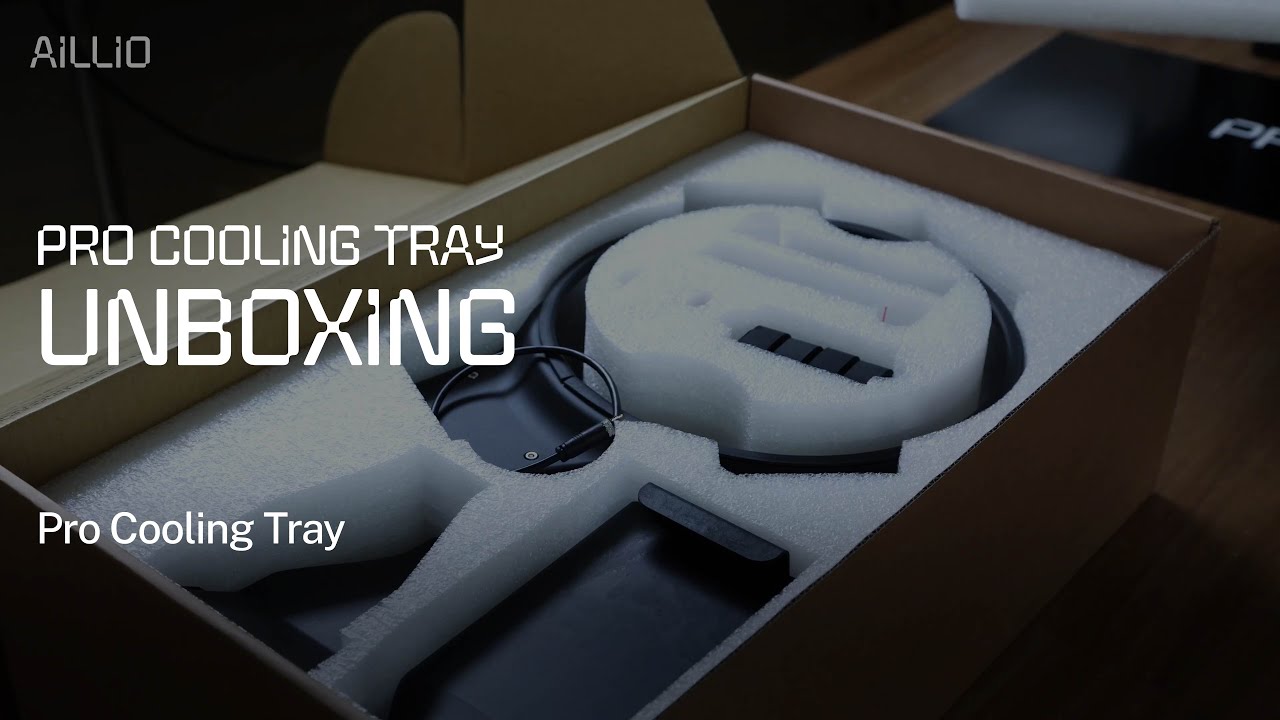
What Is the Aillio Pro Cooling Tray?
The Aillio Pro Cooling Tray is an official accessory designed specifically for the Bullet R1 and Bullet R2 home coffee roasters. Its primary job is to rapidly cool freshly roasted beans the moment they are discharged from the drum — stopping the roast process precisely and preserving the flavor profile you worked hard to develop.
Unlike the standard chaff tray that ships with the Bullet, the Pro Cooling Tray adds meaningful upgrades: a larger bean bed surface, integrated fan ventilation, and a more refined chaff management system. Aillio released this video as part of their Technical Support series to help owners get set up correctly.
What's in the Box
The unboxing is straightforward. Inside the package you will find:
- Pro Cooling Tray body — the main stainless-steel mesh tray with an enlarged bean surface area compared to the standard tray
- Fan assembly — attaches underneath the tray to pull air through the bean bed
- Chaff collector — catches loose chaff during cooling so it doesn't drift onto your counter
- Mounting hardware — screws and clips for attaching the tray directly to the Bullet's front face plate
- Power cable — connects the fan to the Bullet R2's dedicated cooling tray port
Why Rapid Cooling Matters
In coffee roasting, the moment you discharge beans from the drum, the roast is still developing. Residual heat inside each bean continues to drive chemical reactions — pushing the roast further than intended if cooling is too slow.
The Pro Cooling Tray solves this with active airflow. The integrated fan draws ambient air through the mesh bed, lowering bean temperature from around 200–220°C to near room temperature within 3–4 minutes. Without active cooling, the same process can take 8–12 minutes — more than enough time to over-develop your roast and muddy the flavors you were targeting.
Benefits at a Glance
- Stops the Maillard reaction and caramelization on schedule
- Locks in brightness and acidity in light roasts
- Prevents scorching or tipping in medium-dark profiles
- Integrated chaff collector keeps your workspace clean
- Attaches and detaches in seconds — no tools required after initial setup
Setting Up the Pro Cooling Tray
Aillio recommends completing the initial assembly before your first roast session. Attach the fan assembly to the underside of the tray using the supplied clips, connect the power cable to the dedicated cooling port on the rear panel of the Bullet R2, and slide the tray into position on the front face plate until it clicks.
Once connected, the fan activates automatically when you trigger a discharge in RoasTime — no manual switching needed. For Bullet R1 owners, the fan must be powered via a separate USB port, but the setup process is otherwise identical.
Where to Get Support
This video is part of Aillio's official Technical Support library. Because the Bullet is a precision instrument, Aillio directs all troubleshooting questions to their dedicated support team rather than YouTube comments. If you encounter any issues during setup, visit aillio.com/contact-us to reach them directly.
At Bullet Vietnam, we stock the Pro Cooling Tray and can help you source the right accessories for your Bullet R1 or R2. Contact us for pricing and availability.