
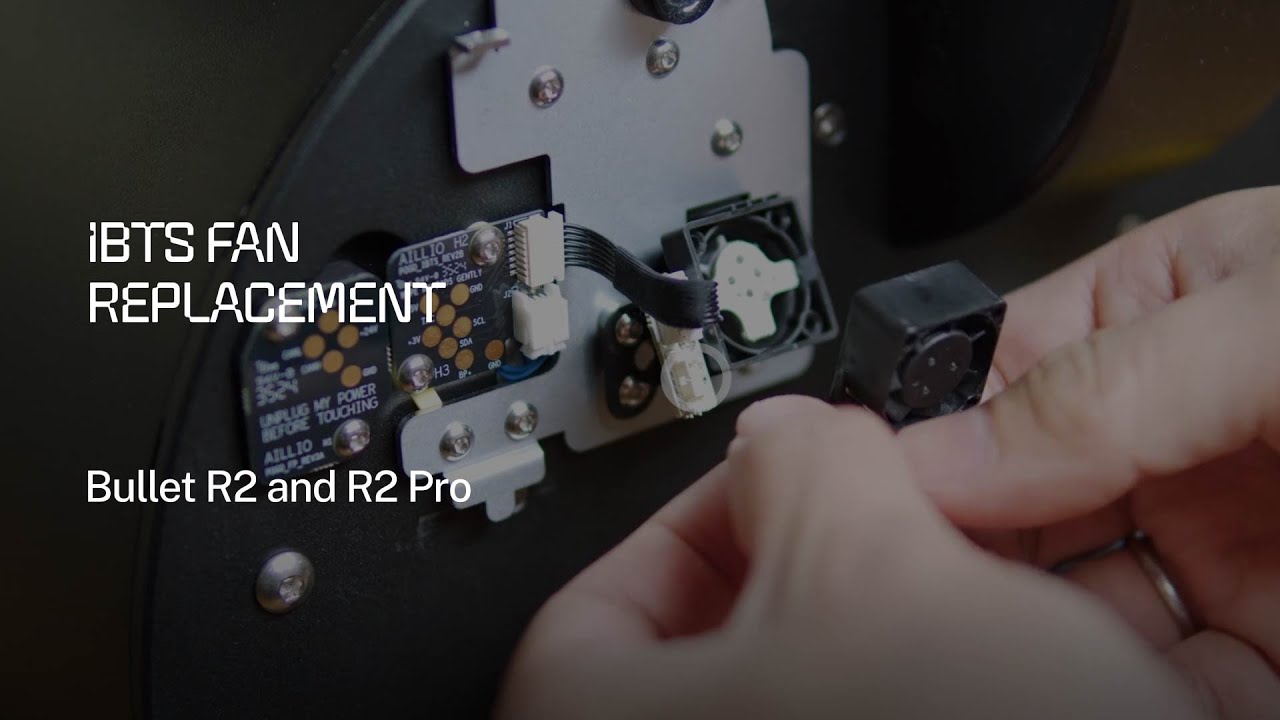
What Is the IBTS Fan and Why Does It Matter?
The Aillio Bullet R2 and R2 Pro use an Infrared Bean Temperature Sensor (IBTS) to measure bean surface temperature in real time. Tucked behind a small protective fan, the IBTS delivers the precise, low-lag temperature data that makes the Bullet's roast profiles so repeatable.
That fan — the IBTS fan — serves two purposes: it keeps chaff and smoke residue off the sensor window, and it creates a small airflow buffer so heat from the drum does not distort readings. When the fan slows down or fails, you will notice erratic IBTS readings, unexpected temperature spikes, or a persistent "IBTS error" warning in RoasTime.
Signs Your IBTS Fan Needs Replacement
- IBTS error or warning shown in RoasTime or on the Bullet's front panel.
- Bean temperature readings that jump erratically or plateau unnaturally.
- A burning or plasticky smell near the front face of the machine.
- Audible grinding or no spin sound from the fan area during pre-heat.
If you see any of these signs, do not continue roasting. Running the Bullet without a functioning IBTS fan risks sensor damage and inaccurate roast data.
Tools and Parts You Will Need
- Replacement IBTS fan (order directly from Aillio's support store or an authorized distributor like Bullet.vn).
- Small Phillips-head screwdriver (PH1).
- Tweezers or needle-nose pliers.
- Clean, static-free work surface.
Important: Always let the Bullet cool completely and unplug it from the wall before opening any panel.
Step-by-Step Replacement
- Power off and cool down. Wait at least 30 minutes after your last roast. Unplug the machine.
- Remove the front faceplate. Unscrew the four corner screws on the front panel and gently pull it forward. The faceplate is connected by a ribbon cable — do not yank it.
- Disconnect the ribbon cable. Lift the small locking tab on the connector and slide the cable free.
- Locate the IBTS fan. It sits directly behind the sensor window, a compact 40 mm blower attached with two screws.
- Unplug the fan connector. The two-pin JST connector pulls straight off. Note which wire is positive (usually red).
- Remove the two mounting screws and lift out the old fan.
- Install the new fan. Seat it in the same orientation, replace the screws, and reconnect the JST plug.
- Reattach the ribbon cable and press the locking tab down until it clicks.
- Replace the faceplate and tighten all four screws — finger-tight, then a quarter turn.
- Power on and verify. Run a pre-heat cycle. Confirm the IBTS reading climbs smoothly and no error appears in RoasTime.
When to Contact Support
This is one of the simpler field-serviceable repairs on the Bullet. However, if you encounter a damaged ribbon cable, stripped screw holes, or the error persists after replacement, reach out to Aillio Support at aillio.com/contact-us. The Bullet.vn team can also assist customers in Vietnam with warranty claims and spare parts sourcing.